🎉 Up to 70% Off Selected ItemsShop Sale
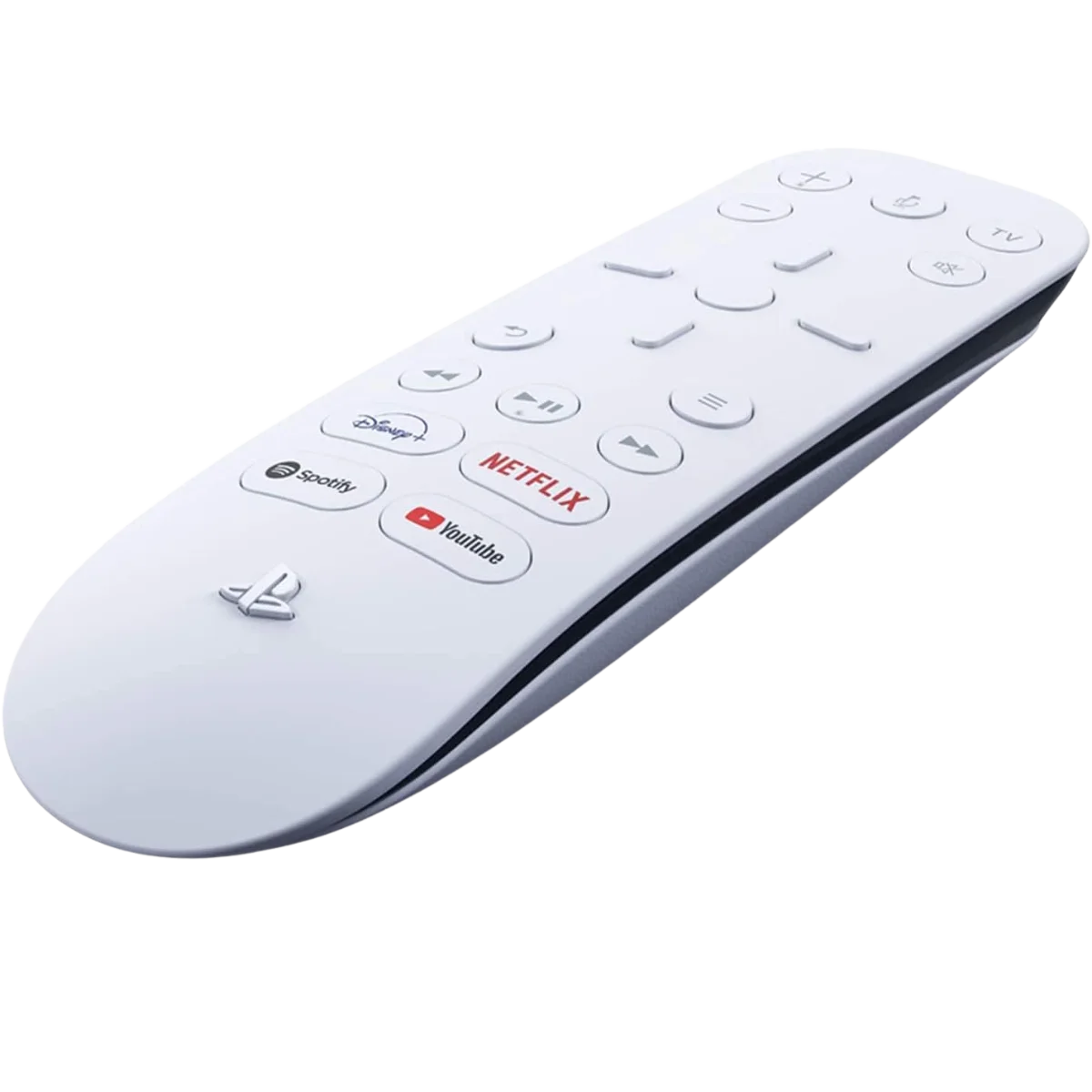
Media Remote for PS5 | Official PlayStation 5 Entertainment Controller
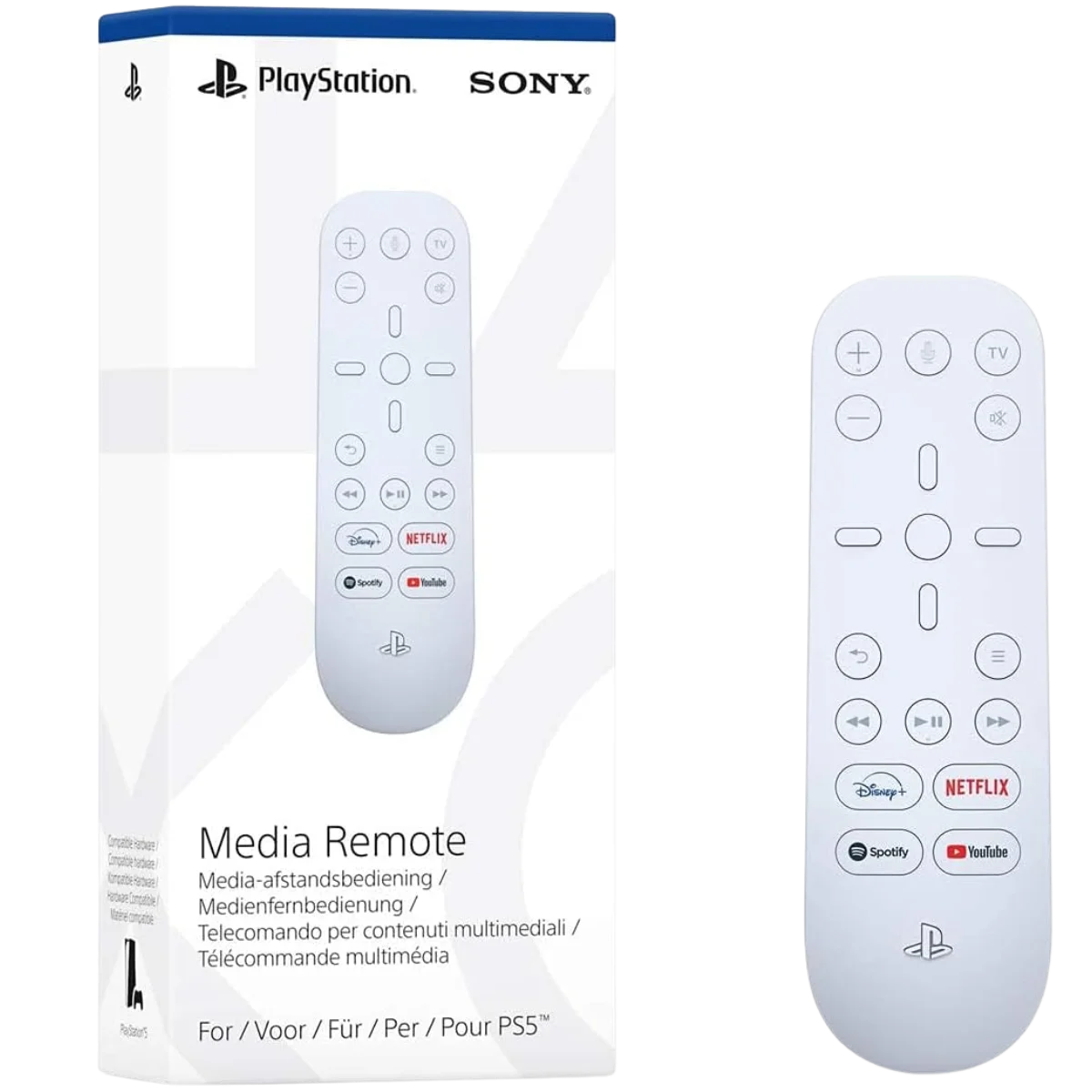
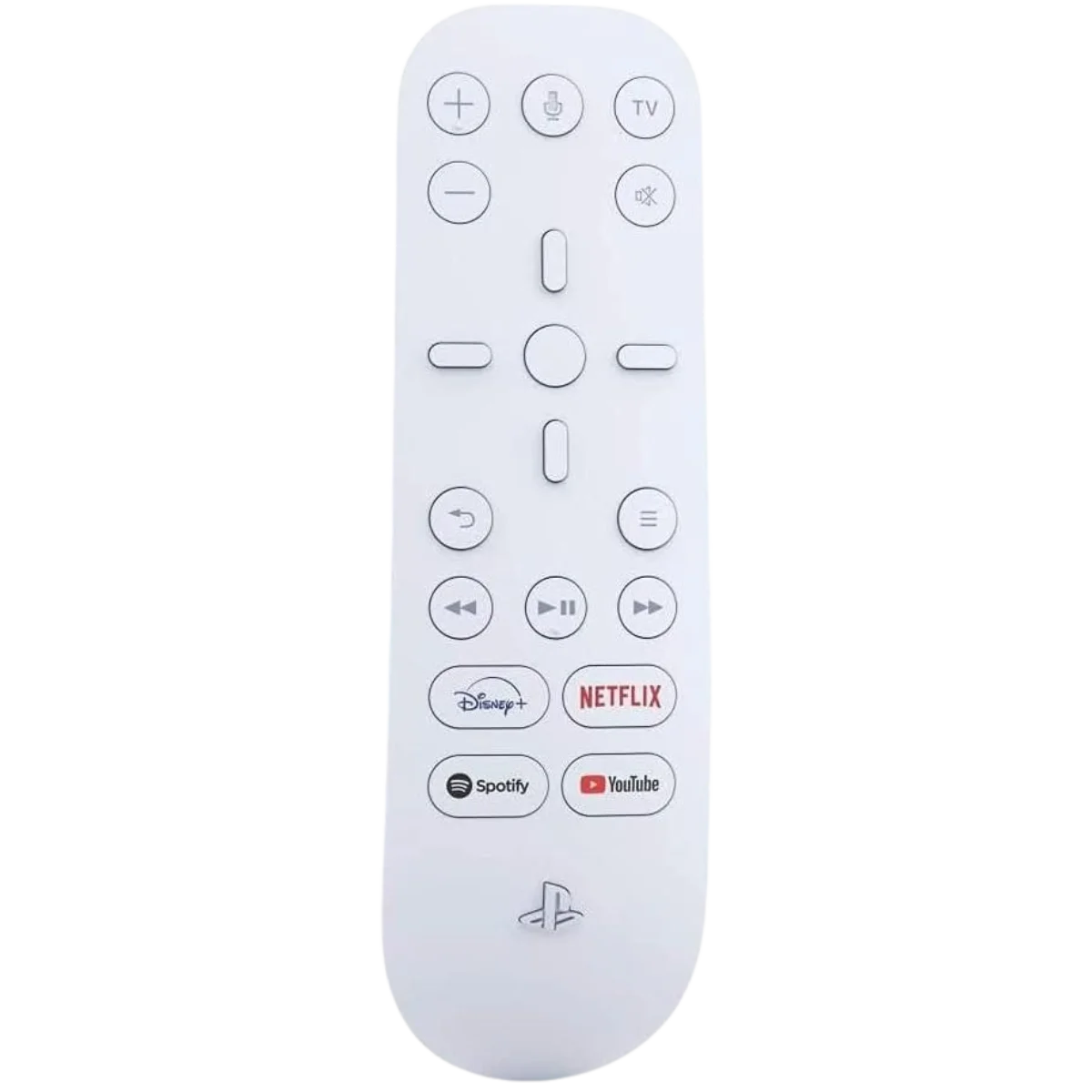
The PlayStation 5 Media Remote lets you control movies, streaming apps, and entertainment on your PS5 with ease. Designed for intuitive navigation, it features dedicated media buttons and seamless integration with your console for effortless entertainment access.
Product Specifications
-
Brand: Sony
-
Model: Media Remote for PlayStation 5
-
Compatibility: PlayStation 5 console
-
Connectivity: Wireless (Bluetooth)
-
Buttons: Directional pad, Media playback controls, Volume, and Power buttons
-
Dedicated Streaming Buttons: Disney+, Netflix, YouTube, Spotify
-
Power Source: 2 x AA batteries (included)
-
System Integration: PS5 power and navigation control
-
Color: White with black accents
-
Material: High-quality ABS plastic
- Official License: PlayStation Certified Accessory
Key Features
Seamless PS5 Integration: Power on your console and navigate menus directly using the remote for convenient control without a DualSense controller.
Dedicated App Buttons: Quick-launch buttons for Netflix, Disney+, YouTube, and Spotify provide instant access to your favorite streaming apps.
Easy-to-Use Layout: Simple button design allows for smooth control of playback, volume, and system power functions.
Compact and Ergonomic Design: Lightweight build ensures a comfortable grip and easy handling during long viewing sessions.
Perfect for Entertainment Hubs: Ideal for PS5 owners using their console as a media center for movies, music, and streaming services.
How It Works
The PS5 Media Remote connects to your PlayStation 5 via Bluetooth for direct system control. Once paired, you can navigate menus, adjust volume, launch streaming apps, and manage media playback using the built-in buttons. The remote can also power the PS5 on or off, making it a convenient tool for transforming your console into a full entertainment hub. Pre-programmed streaming service buttons provide one-touch access to popular platforms, ensuring fast, easy entertainment control.
FAQs
Does the PS5 Media Remote work with all streaming apps?
Yes, it supports most apps available on PS5, including Netflix, YouTube, Disney+, and Prime Video.
Can I use the remote to control my TV?
Yes, when linked via HDMI-CEC, you can adjust TV volume and power functions.
Are batteries included in the package?
Yes, the remote includes two AA batteries for immediate use.
Is setup required before using the remote?
Setup is quick—simply pair it with your PS5 through the Bluetooth settings menu.
$13.50
Original: $44.99
-70%Media Remote for PS5 | Official PlayStation 5 Entertainment Controller—
$44.99
$13.50More Images
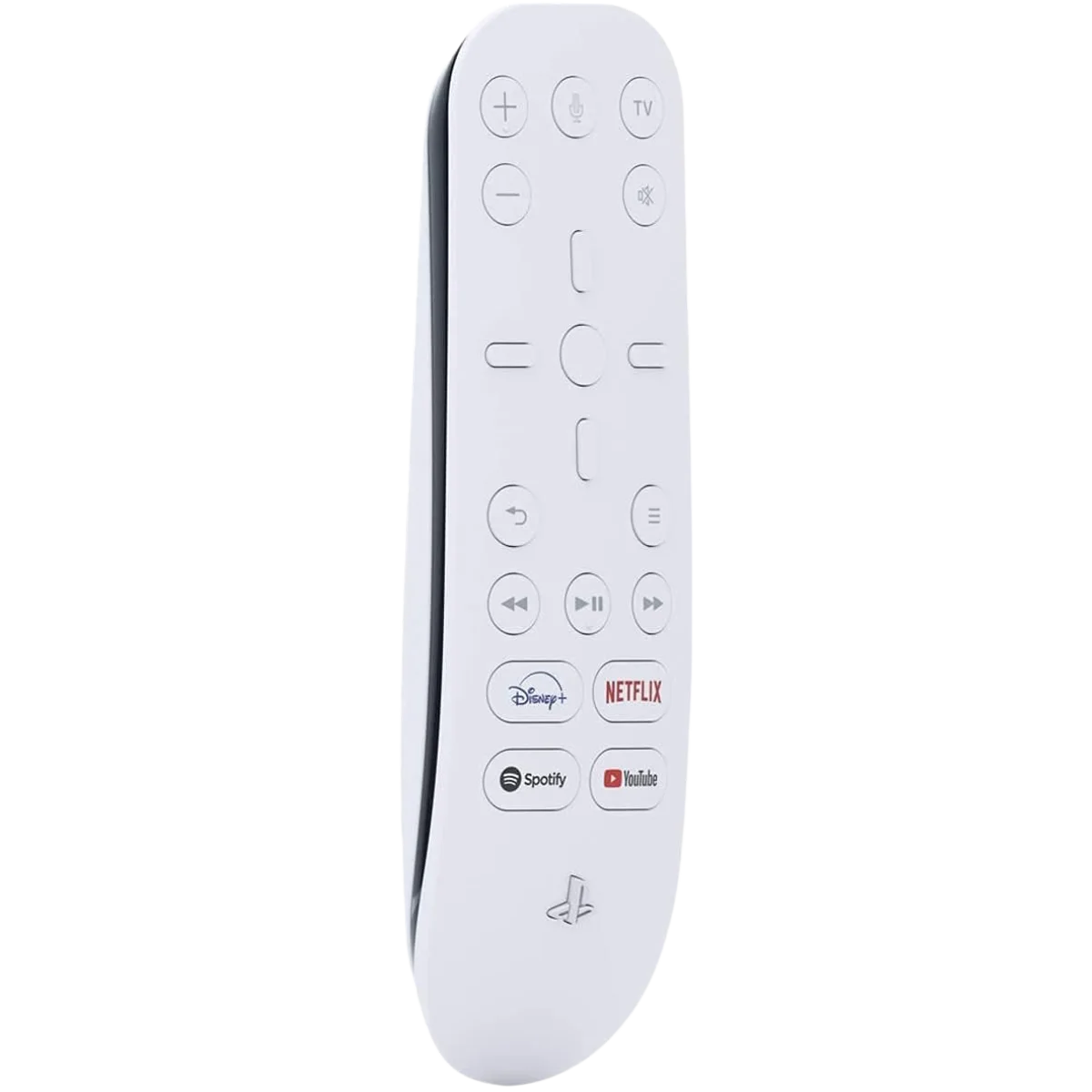
Media Remote for PS5 | Official PlayStation 5 Entertainment Controller
The PlayStation 5 Media Remote lets you control movies, streaming apps, and entertainment on your PS5 with ease. Designed for intuitive navigation, it features dedicated media buttons and seamless integration with your console for effortless entertainment access.
Product Specifications
-
Brand: Sony
-
Model: Media Remote for PlayStation 5
-
Compatibility: PlayStation 5 console
-
Connectivity: Wireless (Bluetooth)
-
Buttons: Directional pad, Media playback controls, Volume, and Power buttons
-
Dedicated Streaming Buttons: Disney+, Netflix, YouTube, Spotify
-
Power Source: 2 x AA batteries (included)
-
System Integration: PS5 power and navigation control
-
Color: White with black accents
-
Material: High-quality ABS plastic
- Official License: PlayStation Certified Accessory
Key Features
Seamless PS5 Integration: Power on your console and navigate menus directly using the remote for convenient control without a DualSense controller.
Dedicated App Buttons: Quick-launch buttons for Netflix, Disney+, YouTube, and Spotify provide instant access to your favorite streaming apps.
Easy-to-Use Layout: Simple button design allows for smooth control of playback, volume, and system power functions.
Compact and Ergonomic Design: Lightweight build ensures a comfortable grip and easy handling during long viewing sessions.
Perfect for Entertainment Hubs: Ideal for PS5 owners using their console as a media center for movies, music, and streaming services.
How It Works
The PS5 Media Remote connects to your PlayStation 5 via Bluetooth for direct system control. Once paired, you can navigate menus, adjust volume, launch streaming apps, and manage media playback using the built-in buttons. The remote can also power the PS5 on or off, making it a convenient tool for transforming your console into a full entertainment hub. Pre-programmed streaming service buttons provide one-touch access to popular platforms, ensuring fast, easy entertainment control.
FAQs
Does the PS5 Media Remote work with all streaming apps?
Yes, it supports most apps available on PS5, including Netflix, YouTube, Disney+, and Prime Video.
Can I use the remote to control my TV?
Yes, when linked via HDMI-CEC, you can adjust TV volume and power functions.
Are batteries included in the package?
Yes, the remote includes two AA batteries for immediate use.
Is setup required before using the remote?
Setup is quick—simply pair it with your PS5 through the Bluetooth settings menu.
Product Information
Product Information
Shipping & Returns
Shipping & Returns
Description
The PlayStation 5 Media Remote lets you control movies, streaming apps, and entertainment on your PS5 with ease. Designed for intuitive navigation, it features dedicated media buttons and seamless integration with your console for effortless entertainment access.
Product Specifications
-
Brand: Sony
-
Model: Media Remote for PlayStation 5
-
Compatibility: PlayStation 5 console
-
Connectivity: Wireless (Bluetooth)
-
Buttons: Directional pad, Media playback controls, Volume, and Power buttons
-
Dedicated Streaming Buttons: Disney+, Netflix, YouTube, Spotify
-
Power Source: 2 x AA batteries (included)
-
System Integration: PS5 power and navigation control
-
Color: White with black accents
-
Material: High-quality ABS plastic
- Official License: PlayStation Certified Accessory
Key Features
Seamless PS5 Integration: Power on your console and navigate menus directly using the remote for convenient control without a DualSense controller.
Dedicated App Buttons: Quick-launch buttons for Netflix, Disney+, YouTube, and Spotify provide instant access to your favorite streaming apps.
Easy-to-Use Layout: Simple button design allows for smooth control of playback, volume, and system power functions.
Compact and Ergonomic Design: Lightweight build ensures a comfortable grip and easy handling during long viewing sessions.
Perfect for Entertainment Hubs: Ideal for PS5 owners using their console as a media center for movies, music, and streaming services.
How It Works
The PS5 Media Remote connects to your PlayStation 5 via Bluetooth for direct system control. Once paired, you can navigate menus, adjust volume, launch streaming apps, and manage media playback using the built-in buttons. The remote can also power the PS5 on or off, making it a convenient tool for transforming your console into a full entertainment hub. Pre-programmed streaming service buttons provide one-touch access to popular platforms, ensuring fast, easy entertainment control.
FAQs
Does the PS5 Media Remote work with all streaming apps?
Yes, it supports most apps available on PS5, including Netflix, YouTube, Disney+, and Prime Video.
Can I use the remote to control my TV?
Yes, when linked via HDMI-CEC, you can adjust TV volume and power functions.
Are batteries included in the package?
Yes, the remote includes two AA batteries for immediate use.
Is setup required before using the remote?
Setup is quick—simply pair it with your PS5 through the Bluetooth settings menu.